Disposable inboxes.On hardware you own.
Point a domain’s MX record at your own server and every address on it becomes an inbox your team can create, read and expire. Teams, roles, audit logs, webhooks and an API around it — and no third party anywhere in the mail path.
Go 1.25Next.js 16PostgreSQL 16Redis 7S3 / MinIOApache 2.0
- API operations
- 162API operationsacross 122 paths
- database tables
- 36database tables49 migrations, 74 indexes
- background workers
- 7background workerscleanup to analytics
- permissions
- 34permissionsover 5 built-in roles
- Go binaries
- 2Go binariesapi and smtpd, scaled apart
- third parties
- 0third partiesin the mail path
Most disposable-inbox services are someone else's server holding your test mail.
Which is fine, right up until the mail contains a password reset, a customer's address, or anything a procurement review will ask about.
Nothing leaves your network
The SMTP daemon accepts the message, the API stores it, your Postgres holds it and your object store holds the attachments. There is no upstream to call, no vendor to trust with the contents, and no retention policy but the one you set. When an inbox’s TTL expires, a worker you are running deletes the row.
That is also the answer to the awkward question about test mail: the signup confirmations, reset links and receipts your QA suite generates are business data, and they never had any business sitting on a public temp-mail site.
No tracking, no ads, no funnel
No analytics scripts, no ad units around the mailbox, no upsell woven into the product surface. The only telemetry is the Prometheus endpoint you scrape yourself, and it answers loopback and private addresses only.
No per-seat pricing
Apache 2.0. Invite the whole team, run as many domains and inboxes as your hardware carries, and scale the two binaries independently. The bill is your server’s.
Create it, use it, forget it. The system remembers to forget.
- 01
Create
Mint an address
Pick a domain you own and a TTL from ten minutes to twenty-four hours. The address is live before the button finishes its transition. Aliases are yours to choose, or generated.
- 02
Receive
Mail arrives live
Your SMTP daemon accepts the message, parses the MIME, sanitises the HTML, stores the attachments, and publishes an event. The open inbox updates in the same second — no polling.
- 03
Expire
It disappears
At the TTL the cleanup worker deletes the inbox, its mail and its attachments. Extend it if you need longer. Nothing lingers because nobody remembered to delete it.
Six surfaces you will actually spend time in.
Captured from a running instance. The full set, with detail on each, lives in the gallery.
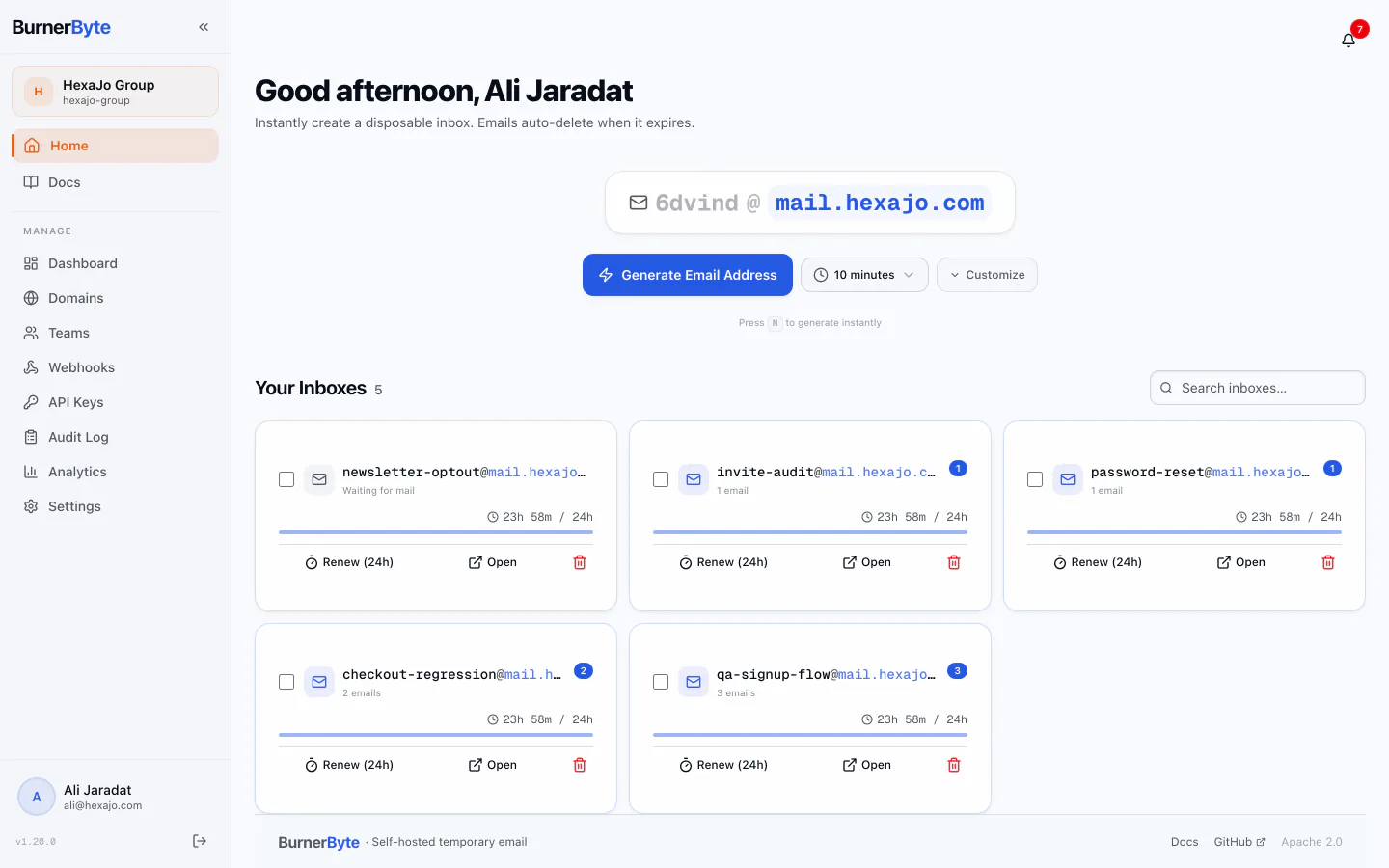
Generate an inbox. One click, a live address, a countdown that starts immediately.
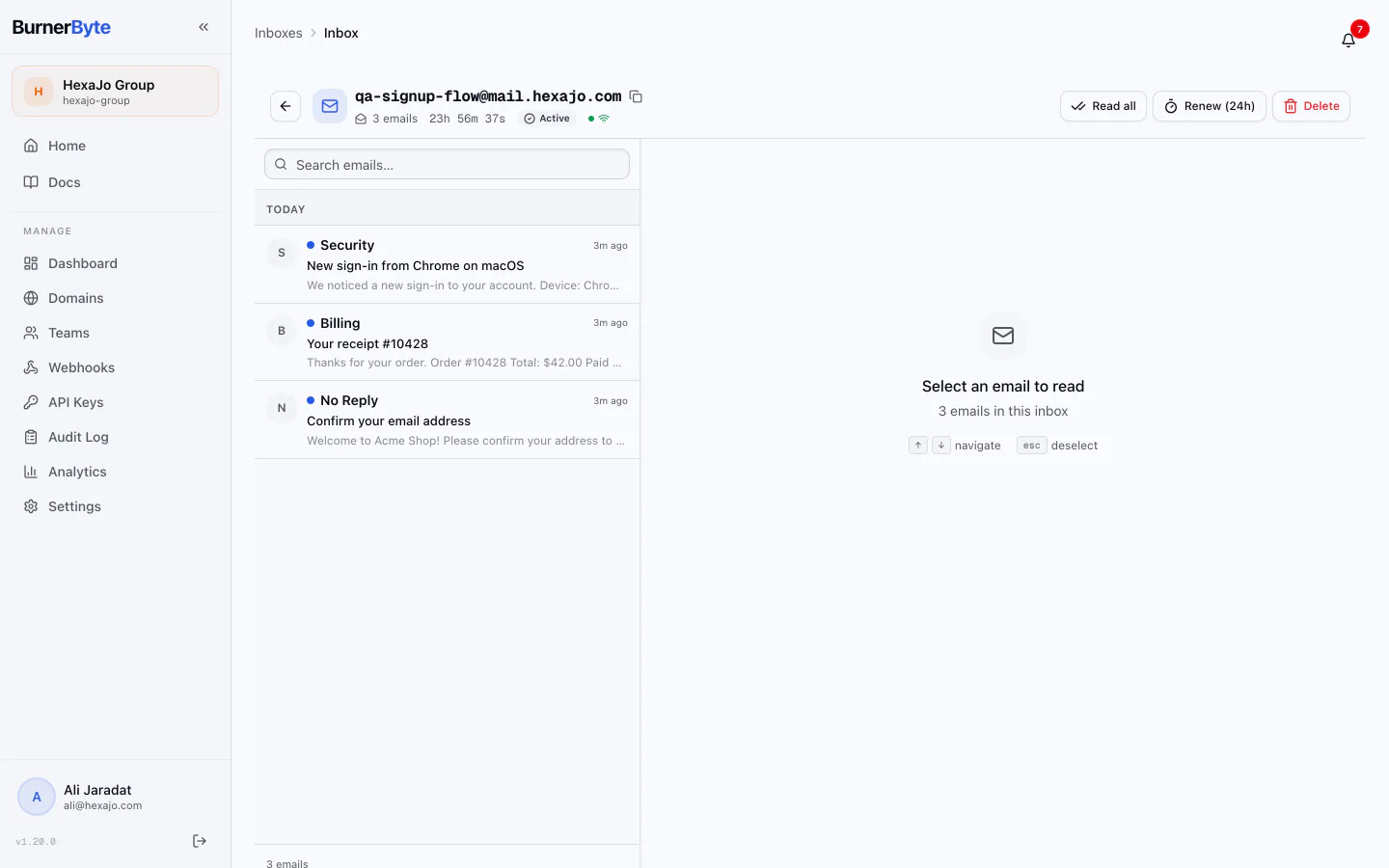
Live inbox. Mail lands over WebSocket. No polling, no refresh button to find.
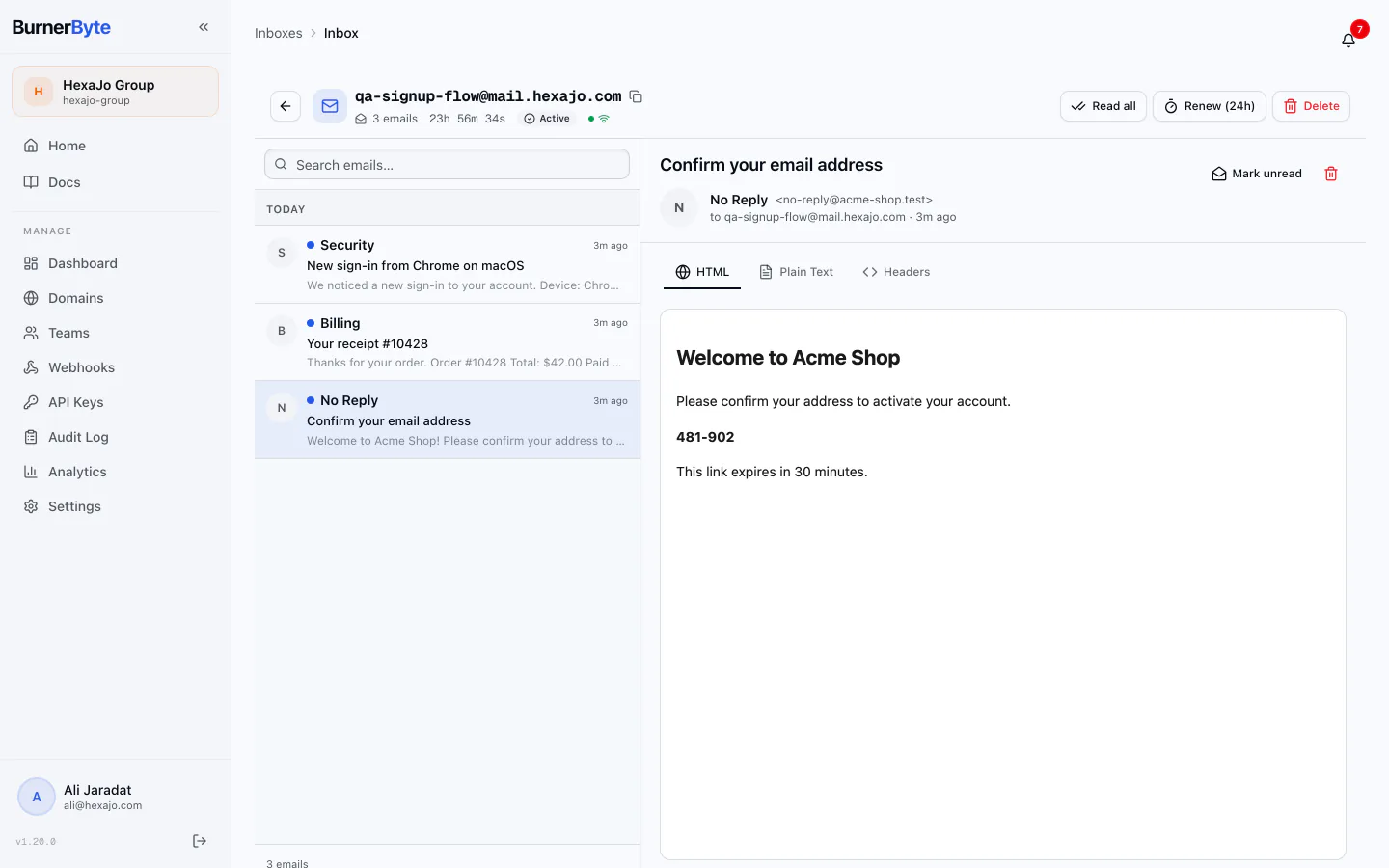
Email reader. HTML, plain text and raw headers, with attachments from your own store.
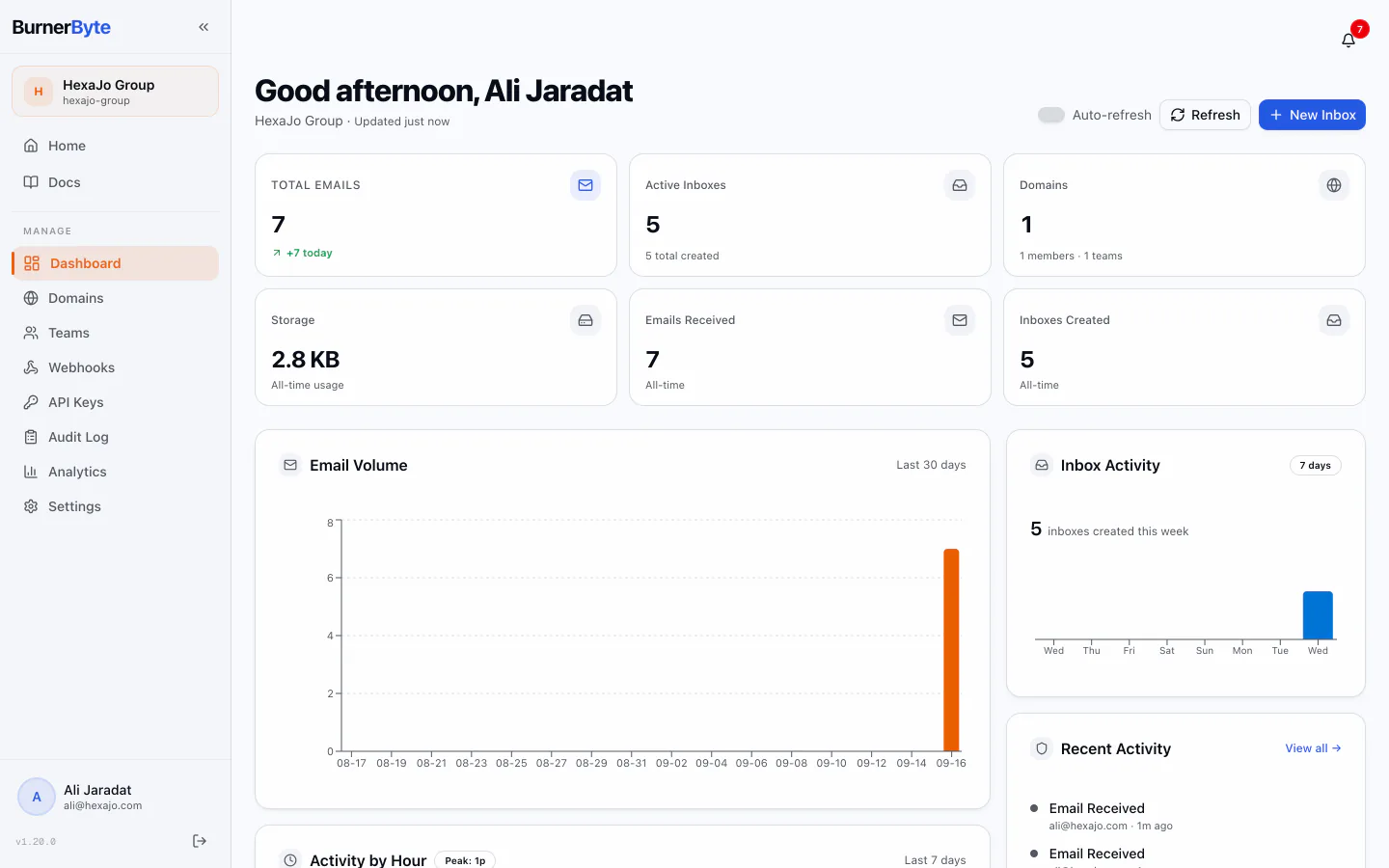
Organization dashboard. Volume, active inboxes, domains and storage, at a glance.
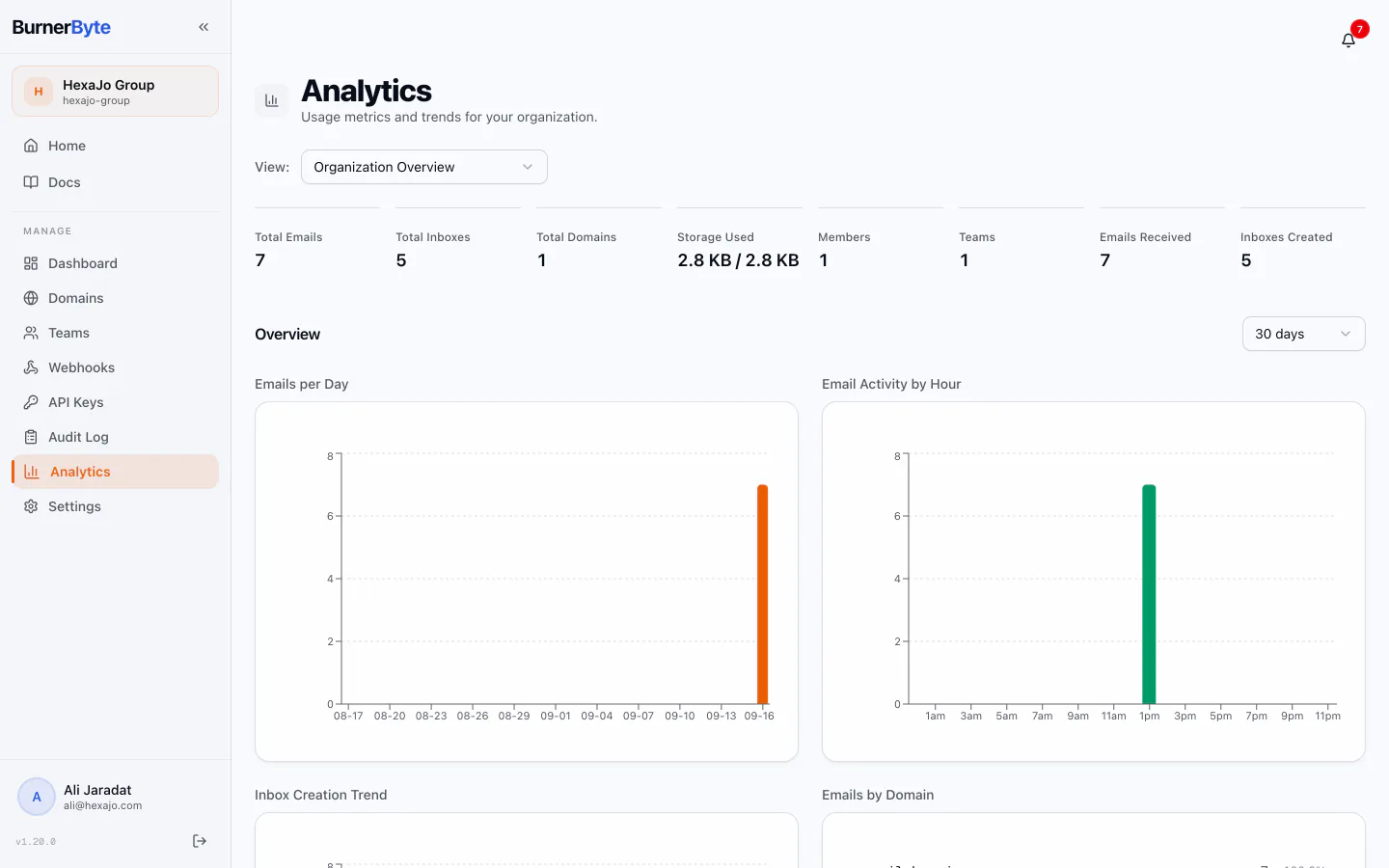
Analytics. Time series, peak hours and top senders, from rollup tables.
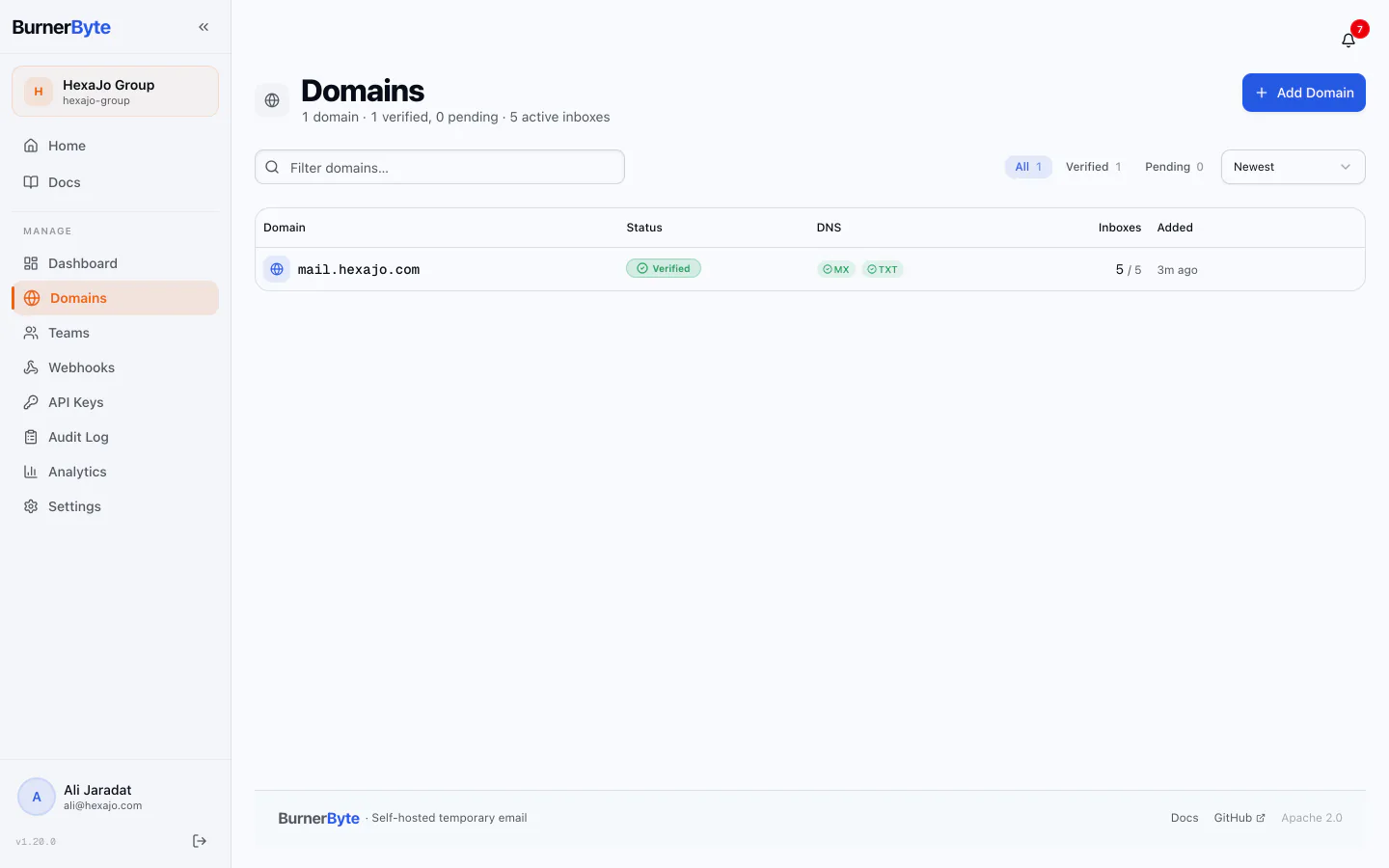
Domains and DNS. MX and TXT verification state, with a recorded history per domain.
Governance around a mailbox, not bolted onto one.
The access controls, audit trail and compliance posture a security team can defend in a review.
Inboxes with a lifespan
TTLs, extension, custom aliases, search, and active/expired filtering. Only the creator can read an inbox, enforced in the service layer rather than the UI.
Organizations and teams
Five built-in roles across 34 permissions, plus custom roles. Invites in bulk, domain assignments per team, and system admins who belong to no organization at all.
Real-time delivery
WebSocket fan-out across API instances via Redis pub/sub, with persistent notifications and a one-time ticket handshake instead of a token in the URL.
Webhooks
HMAC-SHA256 signed, retried automatically, with delivery logs and per-endpoint stats so a silent integration is visible rather than assumed.
Scoped API keys
Per team, rotatable, revocable in bulk, with an optional IP allowlist. 162 operations across 122 paths, described by a served OpenAPI document.
Audit and analytics
A filterable trail with CSV export and a platform-wide view, alongside time-series analytics backed by rollup tables rather than live aggregation.
Also: OIDC single sign-on with per-domain provider routing, session caps and revocation, AES-256-GCM encryption at rest for every stored credential, attachment policies that cascade from platform to organization to team, rate limiting, account lockout, and a configurable password policy. Read the documentation.
One command brings up the entire stack.
A clean checkout runs with no configuration at all. Postgres, Redis and MinIO come up alongside the app, 49 migrations apply themselves, the object-storage bucket is created on first boot, and a setup wizard walks you through the owner account, the organization, outbound SMTP and your first domain.
The defaults are development-grade and the docs say so plainly. Two generated secrets and a reverse proxy is the distance between that and something you can put on the internet.
$ git clone https://github.com/AmJaradat01/burnerbyte.git
$ cd burnerbyte
$ docker compose up -d
✓ postgres healthy
✓ redis healthy
✓ minio bucket created
✓ migrate 49 migrations applied
✓ smtpd listening on :2525
✓ api listening on :8080
✓ frontend ready at http://localhost:3000
Your inbox platform is live. Run it the way your infrastructure already works.
Every guide is written against this codebase, with the gotchas the docs learned the hard way left in.
- ~5 minutes
Docker Compose
The supported path. Postgres, Redis, MinIO, migrations, API, SMTP and frontend in one file.
Read the guide - homelab
Proxmox VE LXC
A Debian container with nesting and keyctl enabled, Docker inside, snapshots around it.
Read the guide - MX · TXT · SPF
DNS records
MX and TXT to receive mail; SPF, DKIM, DMARC and rDNS so what you send is trusted.
Read the guide - TLS · WS
Reverse proxy
Nginx Proxy Manager, raw nginx, Caddy and Traefik — including the WebSocket and header details.
Read the guide - zero-trust
Tunnels & WireGuard
Expose the UI with zero open ports, or keep admin surfaces on a private network entirely.
Read the guide - reference
Architecture
Two binaries, seven workers, one Redis bridge. What runs where, and what happens to a message.
Read the guide
Two Go binaries that scale apart and never call each other.
The full breakdown — workers, storage, config cascade, failure modes — is on its own page.
Your domains. Your database. Your mail.
Clone it, bring the stack up, point an MX record at it. BurnerByte is Apache 2.0 and the whole thing is readable in an afternoon.